

The year is 2025, and AI-created art is no longer novel – it is the normal path to producing art. But where most tools concentrate on broad styles, PixAI.art goes all in on anime. Whether you want to create a magical girl, a future-cybernetic geisha, or something straight out of the Ghibli playbook, you can, simply by typing a prompt or uploading a reference image.
What sets it apart are the anime-themed models, LoRA training out of the box, and a strong community aspect. From artists and game devs to VTubers and social media creators, PixAI is their go-to tool for rapidly creating characters, concept art, and visual prototypes without the need to hire illustrators or learn design tools.
What is PixAI.art?
PixAI.art is an online application that lets you transform your ideas into anime-styled drawings without having to reference a line-traced drawing for the style. You describe a character, insert an image (or select one of their templates), and the AI does the rest. It is made for anime fans and creators, which means they actually look like anime, not just like some sick illustrations.
We packed it full of features to help you take control over how your art looks using different AI models, resolution settings, and even having LoRA support so you can train your own style if you want. There is also a mobile app, so you can create images from anywhere.
For anyone who is used to drawing on tablets, it is insanely easy to use. For those who want to get more out of the service, it is customizable and has the ability to adjust styles and faces and branch out to other models. Throw in a lively community gallery and sharing space and you end up with more than a tool, it’s like a mini art ecosystem based off of anime.
Also Read :
- Top 7 AI Tools for Generating Captions from Images
- Solvely.ai Review (2025): A Student’s Smart AI Study Buddy?
- 10 Best AI image Watermark Removal Tools
Key Features
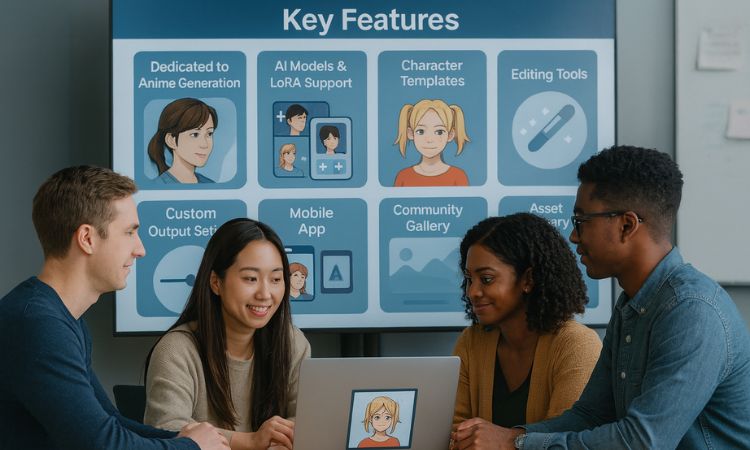
Dedicated to the Anime Generation: Your story in a unique way. Prompts do result in character designs, backgrounds and scenes that feel true to the genre.
Some AI Models & LoRA Support: Select from a range of models to fetch different visual styles. Has LoRA training support for further tuning results or adding your models back.
Character Templates: You can start quickly with pre-developed templates. Perfect for those who do not know how to write prompts from the ground up.
Editing Tools: Once an image is generated, you can edit the details, change colors, fix faces, remove or add elements.
Custom Output Setting: Set resolution, aspect ratio and overall style with sliders and dropdowns.
Mobile App: Operates seamlessly on mobile phones allowing you to create and save artwork on the move.
Community Gallery: A live feed of what others are making. You can copy prompts, remix images or take part in monthly contests.
Asset Library: Unlock a library of royalty-free icons, elements and fonts to help build your designs faster. You can use them in your personal and commercial projects.
Pricing Breakdown (2025)
PixAI.art has a free tier and three paid plans. Each plan comes with credits that get depleted when you use them to create images, train models or apply certain effects.
Free Plan
- Credits per day: (enough for occasional browsing)
- Access to standard models
- Nice for hobbyists or testing
Starter – $9.99/month
- 300,000 credits per month
- 3 LoRA training slots
- For occasional creators / indie artists and so on
Plus – $29.99/month
- 1 million credits
- 10 LoRA trainings
- Access to additional AI models and pro tools
Premium – $49.99/month
- 2 million credits
- Priority rendering, advanced features
- Made for professional makers and manufacturing at scale
Annual plans provide visible savings and not just on premium levels.
The free plan is likely adequate for most users to play around, but saving Orbit misadventures is useful and worth the very small charge just for the peace of mind for anyone doing regular or commercial work, so even the Starter is worth it.
OUR TESTED: Prompts and Official Response Explanation TEXTS
We conducted two very distinct prompts to see how well PixAI.art handles detail, style and creativity:
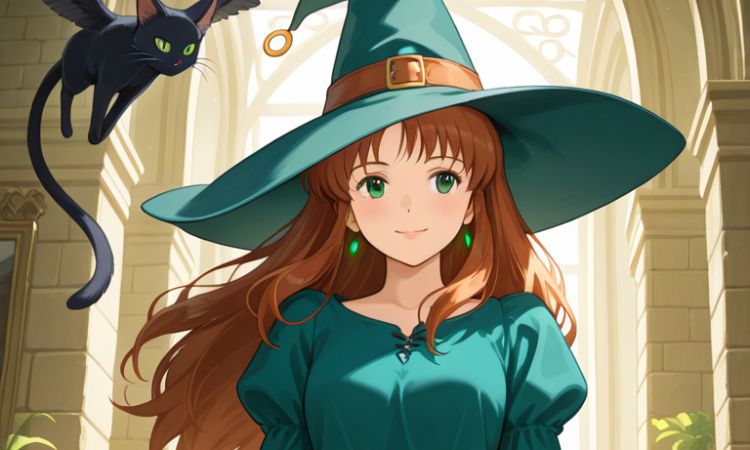
Prompt 1: “Studio Ghibli style witch with a floating cat”
This one was about charm and atmosphere. The result? A gently lit scene with a young witch who was straight out of a Ghibli storyboard. It was fou-fou and the floating cat was clearly visible, and the background was cozy and storybook-like. Prompt accuracy was high, right down to such subtle points as the character’s outfit and expression matching the mood of what we had in mind.
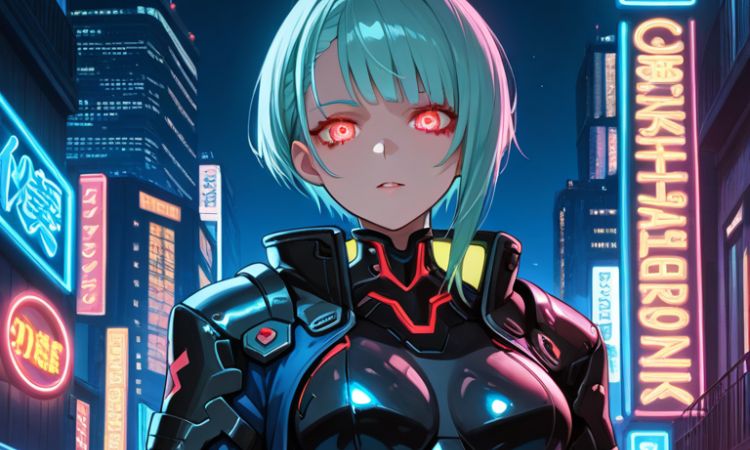
Prompt 2: “Cyberpunk warrior, glowing eyes, Tokyo night background”
This test called for something more complex, and neon-lit. The AI crushed the color story vibrant purples and blues with a lot of sci-fi edge. The figure featured metallic paint apps, an LED light in the eyes, and city backdrop. The piece seemed exciting and specific. A couple of very minor aspects, such as hand setup, were off slightly, but nothing detrimental.
Prompt Accuracy: 8.5 to 9/10
Rendering Time: Approximately 10–15 seconds per photo
Model used: Default + LoRA variations (Ghibli and Cyberpunk Styles)
Image quality: Lines are clean and sharp, facial features are more anime-style, colors are good
Both pictures were quickly and watermark-free saved in HD. The end result was an easy and struggle-free experience. Nothing crashed or bugged during the generation.
Ease of Use: Signup to First Image
PixAI.art is made to be beginner-friendly. You could get going in less than a minute—with the site’s interface, it is that simple: a prompt box in the middle, model options to the left, and a large preview panel occupying all of the right side. Even beginners have their first image ready in just two minutes!
Basic and detailed descriptions are available in the prompt editor. Models and resolution are easily selected and fine-tuned with dropdown menus and sliders. And we particularly appreciated the live credit counter, telling how many generations you have left.
Editing tools like background removal or facial tweaks are easy to find, and while they work, they tend to produce the best results for touch-ups rather than full-scale reworks. The mobile app also replicates the web version nicely, so projects can be carried on away from the office.
Strengths and Limitations
What PixAI.art Gets Right:
- True-to-form Anime Generation: Unlike the AI tools you are used to, PixAI’s anime output actually looks like anime. The style transfer quality between various prompts is amazing.
- Quick Generation: High-res images can be prepared in seconds. No long lines during our tests, no delay.
- Easy to Use: A simple UI, prompt guides, and templates mean anyone can use AI art even without prior experience.
- Community Value: The gallery and prompt sharing function helps users learn more quickly and gain inspiration. Remixing is easy and fun.
- Mobile Support: Having the mobile app means that flexibility goes with you. Many users enjoy creating on their phone or tablet.
Where It Falls Short:
- Prompt Boundaries: Some prompts are too complex or too specific and may not always render properly. Certain artistic elements are simplified or changed.
- Limited Manual Control: Editing tools are not built for deep customization. You cannot correct hand positions or redraw features manually.
- Daily Credit Cap: The free plan is restrictive for serious use. Paid plans offer more freedom but might seem expensive for casual users.
- Tight Moderation: Some creative prompts may be flagged or blocked, especially if they contain suggestive content or fantasy violence.
So overall, PixAI is great for quick anime-style creations but is not a Photoshop alternative. It works best as a sketch partner, not a full-scale illustrator.
Comparison with Other AI Anime Art Generators
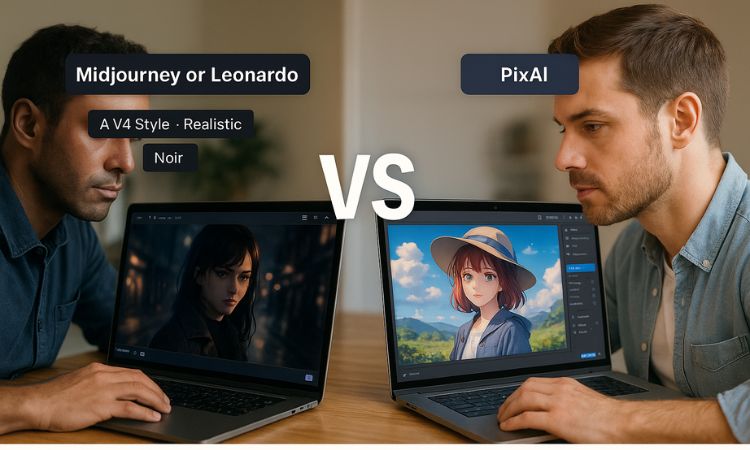
PixAI.art is remarkable because it is constructed solely around anime. Most general AI tools like Midjourney or Leonardo can attempt anime style, but PixAI delivers it by default—no prompt engineering required.
Compared to similar tools like Meitu AI Art or Waifu Labs, PixAI gives you more control, better image quality, and support for model fine-tuning. It also includes a community gallery and remix features that others often lack.
The collaborative element makes a big difference too. With competitions, public galleries, and prompt remixing, PixAI embraces the social side of creation—not just generation.
If you want fast anime-style results with flexibility, PixAI leads in both quality and usability.
Final Decision: Should You Use PixAI.art?
If you like anime and want quick, high-quality images, PixAI.art is one of the best tools available today. It can generate everything from basic character designs to detailed scene compositions. In many cases, the output is good enough for real-world use—storyboards, content posts, or visual prototypes.
It is easy to get started, has depth for advanced users, and offers ongoing creative inspiration through its active community. While the free plan has limits and it is not ideal for full control, PixAI brings strong value for what it does.
Use it if:
- You want to generate anime characters or scenes without drawing
- You need consistent results quickly
- You enjoy learning from or contributing to a creative community
Skip it if:
- You want full manual control over the art
- You only plan to use it occasionally and prefer free tools
FAQ
Q1: Is PixAI.art free to use?
Yes, there is a free plan, but it includes limited daily credits. Good for casual testing, but not for bulk image creation.
Q2: Are the produced images watermark-free?
Yes, even free users can download images without watermarks.
Q3: Can I use PixAI.art for commercial work?
Yes, as long as you follow their terms of use. Paid plans offer more flexibility for things like LoRA models and high-resolution downloads.
Q4: What are LoRA models, and why should we care?
LoRA models are fine-tuned AI models that allow you to generate images in specific styles or with certain characters. PixAI supports both importing and training LoRA models for greater control.
Q5: Does PixAI.art have a mobile app?
Yes, the mobile app lets you generate, view, and remix prompts right from your phone or tablet.
Q6: How well does it follow complex instructions?
Fairly well, though not always perfectly. It captures the core concept, but fine details like hands or exact backgrounds may be generalized.
Q7: Does PixAI.art support image-to-image generation?
Yes, you can upload a reference image and use it to guide the generation of altered or improved versions.


